
A pay-what-you-want Mac app for Obsidian
Capture at the
speed of thought.
Press ⌥Spaceanywhere on your Mac and a floating, Spotlight-style panel appears over whatever you're doing. Type a thought, journal entry, task, or image — hit Return — and it lands in exactly the right place in your Obsidian vault. Even when Obsidian isn't running.
Pay what you want · macOS 13+ · Apple Silicon & Intel · Signed & notarized
How it works
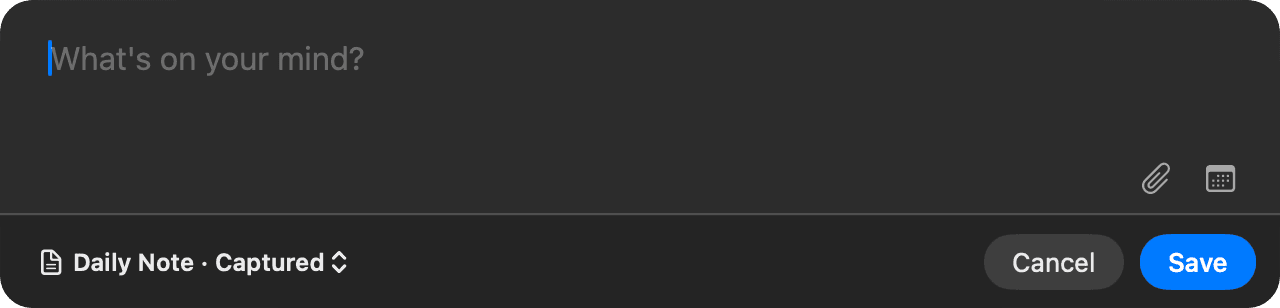
The capture panel floats over whatever you're doing. No switching apps, no hunting for Obsidian, no losing your train of thought.
The destination picker sits bottom-left, just like Things: Daily Note, a journal section, your Inbox, or your task list — each one a keystroke away.
The entry is filed as clean markdown under the right heading in your vault, created from your own templates when needed. The panel is gone before you can blink.
Four destinations, zero friction
Every capture goes exactly where it belongs — switch destinations from the picker or jump straight there with a shortcut.
A bullet under your capture heading (default “### Captured”) — or straight into the note with no heading, top or bottom.
Journal Entry, Gratitude, Win — or whatever sections you define. Each gets its own daily-note heading, its own tag, and its own shortcut.
Creates a brand-new note in your Inbox folder. The first line becomes the note title, the rest becomes the body.
An Obsidian Tasks-formatted line added to any note you choose, with optional start and due dates from a Things-style calendar.
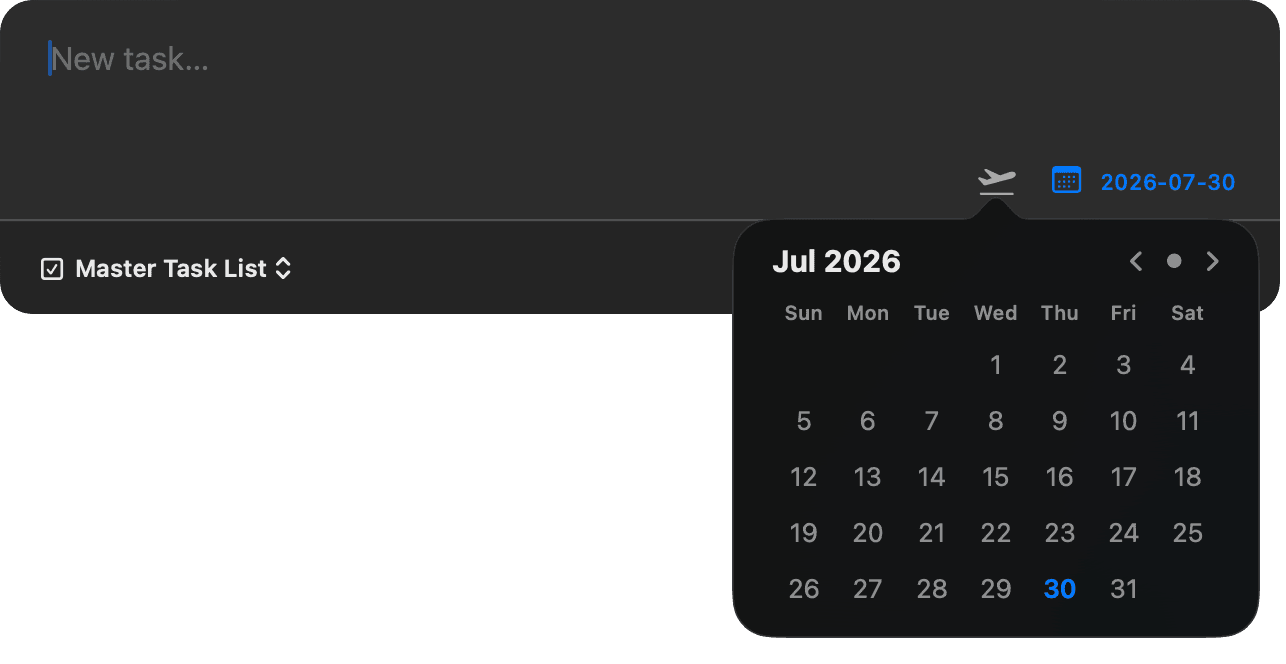
Task mode, with optional start and due dates — formatted for the Obsidian Tasks plugin.
It already knows your vault
Auto-detects your vaults from Obsidian's registry and reads each vault's own settings live — daily-note folder, format, and template, attachment folder, even the Tasks plugin's global filter. Override anything you like.
A calendar button targets past or future daily notes. Missing notes are created from your own daily-note template, with dates filled in for that day.
Paste, drag-and-drop, or click the paperclip. Images are copied to your vault's attachment folder and linked — or embedded — right in the entry.
Quick Capture writes markdown directly to disk, so nothing needs to be running. Open Obsidian later and everything is already filed.
A ~1 MB universal binary (Apple Silicon + Intel) for macOS 13+, Developer ID signed and notarized. Double-click install, no warnings.
Recordable global hotkey, tabbed native Settings, remembers your last destination, menu-bar shortcuts to today's note and your task list, launch at login.
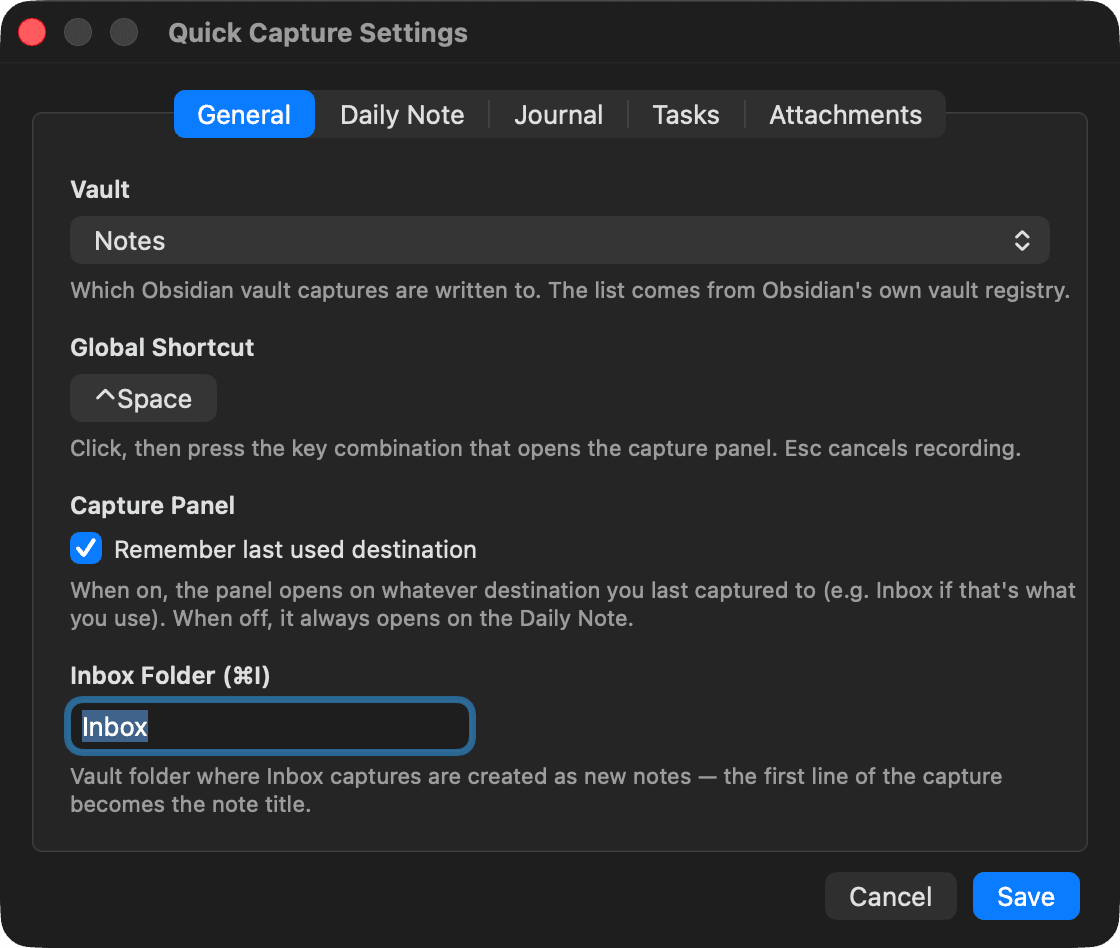
Native Settings with live “Detected” values read from your vault — override only what you want.
Why I built this
The moment I saw Craft tease its Quick Entry feature, I wanted it for Obsidian — so I had a working version the same day, then refined it with feedback from testers. If you know Drafts or the Things quick entry window, you know the idea. And unlike in-app capture plugins like QuickAdd, it works system-wide, from any app, whether Obsidian is open or not. Frictionless capture is the first step of the Creativity Flywheel — this makes it effortless.
Get Quick Capture
Quick Capture is pay what you want — grab it for free, or chip in whatever it's worth to you. Either way you get the exact same app, delivered instantly.
Get It Now →~1 MB download · macOS 13+